Anatomy of an OpenClaw Agent: Soul, Memory, Identity, Heartbeat & Tools Explained

26 years building and operating hosting infrastructure. Founded Remsys, a 60-person team that provided 24/7 server management to hosting providers and data centers worldwide. Built and ran dedicated server and VPS hosting companies. Agento applies that operational experience to AI agent hosting.
Table of Contents
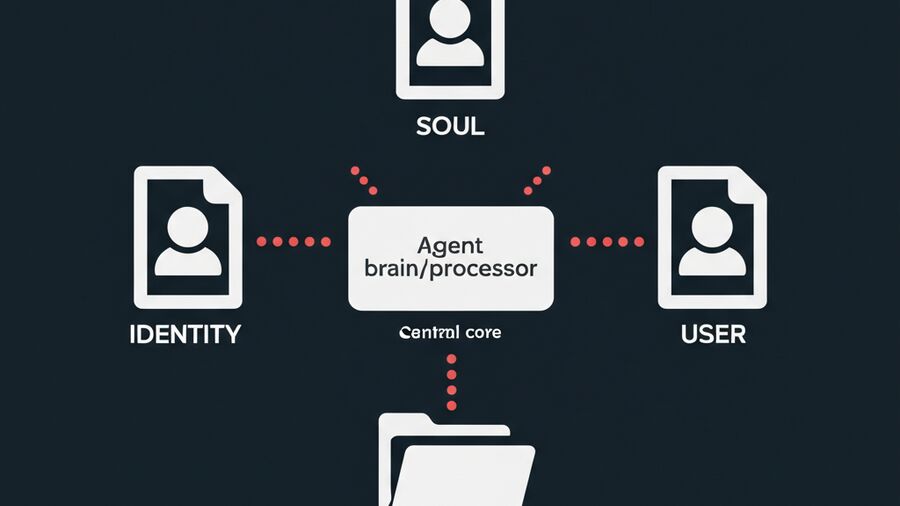
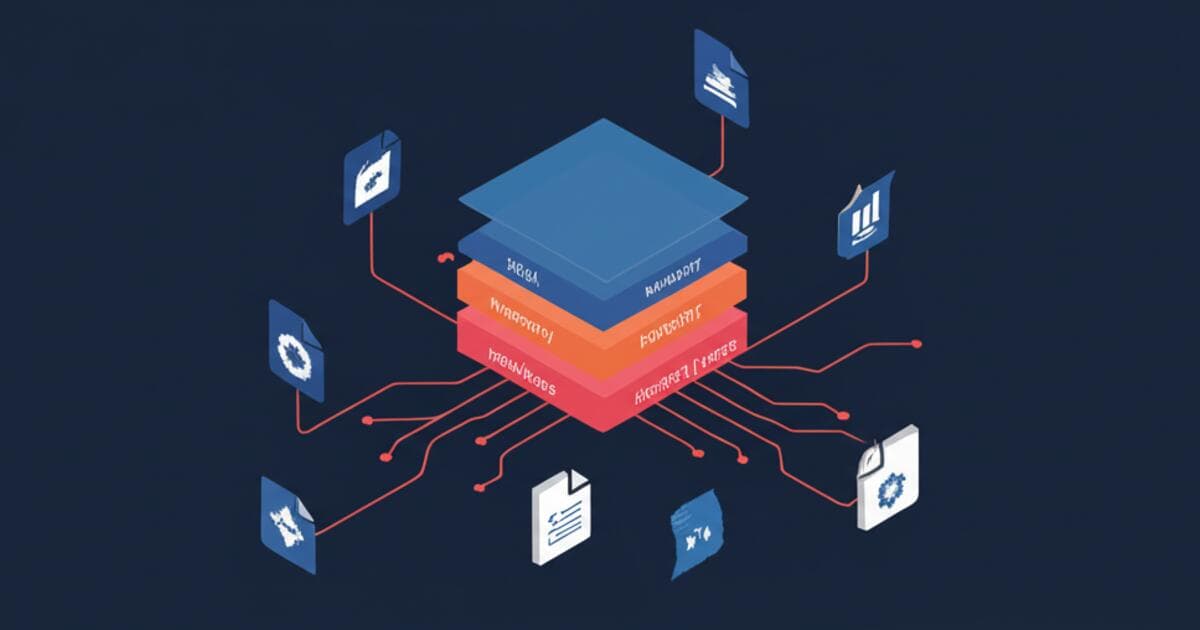
OpenClaw agents aren't just code running in the cloud—they have a soul, memory, and heartbeat. Unlike traditional chatbots that start fresh every conversation, OpenClaw agents maintain persistent identity and context through a simple but powerful file-based architecture.
What makes OpenClaw different from other agent frameworks? It's radically transparent. No hidden embeddings, no opaque vector stores, no proprietary configuration formats. Just markdown files you can read, edit, and version control with git.
Understanding these components matters whether you're customizing your agent's personality, debugging unexpected behavior, or optimizing for your specific workflow. By the end of this article, you'll know exactly what each file does and how they work together to create a coherent, persistent AI assistant.
The OpenClaw Agent Workspace
Every OpenClaw agent lives in a workspace directory (typically ~/bot/) containing a set of markdown files that define its entire configuration. This file-based philosophy keeps things simple, portable, and git-friendly—you can back up your agent with a single git push.
Here's the complete workspace structure:
~/bot/
├── AGENTS.md      # Workspace setup & safety defaults
├── SOUL.md        # Persona & behavioral boundaries
├── IDENTITY.md    # Name, creature, vibe, emoji
├── MEMORY.md      # Persistent facts & learned preferences
├── USER.md        # User profile & context
├── TOOLS.md       # Tool documentation & notes
├── HEARTBEAT.md   # Scheduled tasks & reminders
└── memory/
    └── YYYY-MM-DD.md  # Daily logs
Each file serves a distinct purpose. Some define who the agent is, others define what it knows, and others define what it does on a schedule. Let's explore each one.
SOUL.md - Persona & Boundaries
SOUL.md defines WHO the agent is and HOW it behaves. Think of it as the agent's constitution—a set of core principles that govern all interactions.
Key Elements
- Tone and communication style: Should the agent be formal or casual? Verbose or concise?
- Behavioral boundaries: What the agent should NEVER do
- Response format preferences: How to structure outputs
Example
# SOUL.md - Persona & Boundaries

## Communication Style
- Keep replies concise and direct
- Ask clarifying questions when requirements are ambiguous
- Use bullet points for lists, not paragraphs

## Boundaries
- Never send streaming/partial replies to external messaging surfaces
- Don't make assumptions about user intent—ask first
- Avoid unsolicited advice unless explicitly in advisor mode

## Response Format
- Lead with the answer, then explain if needed
- Use code blocks for any technical content
- Include sources/references when making factual claims
Best Practices
Keep SOUL.md short—under 500 words. Focus on constraints rather than capabilities. The LLM already knows how to be helpful; what it needs from SOUL.md is your specific preferences and guardrails.
Think of SOUL.md as setting up invisible fences. You're not teaching the agent how to think; you're defining the boundaries within which it should operate.
IDENTITY.md - Agent Identity
IDENTITY.md is the agent's business card—a quick-reference identity that establishes consistent personality across all channels.
Key Elements
- Name: What users should call the agent
- Creature: Optional theming (robot, navigator, assistant, etc.)
- Vibe: Personality captured in 5-10 words
- Emoji: Visual identifier for the agent
Example
# IDENTITY.md - Agent Identity

- Name: Anton
- Creature: Navigator
- Vibe: Sharp, resourceful, tech-savvy co-pilot
- Emoji: ✨
Why It Matters
A consistent identity helps users build rapport with the agent. When Anton introduces himself across Telegram, Slack, or email, he's always the same "sharp, resourceful navigator." This consistency builds trust.
IDENTITY.md also enables quick onboarding for new team members who interact with your agent. Instead of lengthy explanations, they get the essential personality in seconds.
MEMORY.md - Persistent Facts
MEMORY.md is the agent's long-term memory—facts and preferences that persist across sessions. This is what makes OpenClaw agents feel like they actually know you.
Key Elements
- Hardware integrations & device info: What's connected and how
- Learned user preferences: Discovered through conversation
- Performance tips & shortcuts: What works in your specific setup
- Important decisions & context: History that matters
Example
# MEMORY.md - Persistent Facts

## Hardware Integrations

### Ditoo Pro Pixel Display
- Connected via: Galaxy A06 (Android node) → Bluetooth SPP
- Available moods: idle, thinking, speaking, working, success, error
- Command format: `mood:thinking` sent to Android bridge

### Home Assistant
- Local URL: http://192.168.1.50:8123
- Entities of interest: light.office, climate.bedroom, sensor.power

## User Preferences

- Prefers TypeScript over JavaScript
- Uses pnpm, not npm or yarn
- Code style: functional over OOP, explicit over implicit

## Project Context

- Main project uses Next.js 14 with App Router
- Database: PostgreSQL with Prisma ORM
- Deployment: Vercel for frontend, Railway for API
How It Works
MEMORY.md is loaded at session start for main (private) sessions—not group chats where context would be inappropriate. The agent can append to MEMORY.md during conversation when it learns something worth remembering.
Best Practices
Curate MEMORY.md manually. Don't let it grow unbounded with trivial facts. Never store secrets like API keys or passwords—use environment variables for those. Structure content with clear headers so both you and the agent can navigate it quickly.
memory/YYYY-MM-DD.md - Daily Logs
While MEMORY.md holds curated long-term facts, daily logs capture transient context that might become permanent.
How It Works
The agent automatically creates files like memory/2026-02-01.md when it has something to log. At session start, today's log and yesterday's log are loaded into context—giving the agent a rolling 48-hour window of detailed memory.
Use Cases
- Meeting notes: Quick capture during calls
- Task progress: What was worked on, what's pending
- Temporary reminders: Context that matters today but not next month
- Decisions in progress: Thinking that hasn't solidified yet
Relationship to MEMORY.md
Think of daily logs as raw capture and MEMORY.md as curated storage. When something in a daily log proves important long-term, promote it to MEMORY.md. This two-tier system prevents MEMORY.md from becoming cluttered while ensuring nothing important is lost.
USER.md - User Profile
USER.md contains everything the agent needs to know about you—the human it's helping. This enables deeply personalized assistance without re-explaining yourself every session.
Key Elements
- Basic info: Name, timezone, pronouns
- Work context: Current projects, tools, systems
- Health considerations: Relevant for scheduling and reminders
- Goals: What you're working toward
- Non-negotiables: Boundaries and aspirations
Example
# USER.md - User Profile

## Basics
- Name: Greg (Grisha)
- Timezone: UTC+7 (Bangkok)
- Pronouns: he/him

## Work
- Main project: Retently (www.retently.com) - NPS/CX platform
- Side project: Agento - AI agent hosting
- CRM: Pipedrive (check before suggesting new leads)
- Code editor: VS Code with vim bindings

## Health
- Intermittent fasting 16:8 (eating window: 12pm-8pm)
- Supplements: creatine at 1pm, vitamin D in morning

## Goals (Next 3 Months)
1. Grow Retently +1k MRR/month
2. Launch Agento public beta by Feb 15
3. Cut weight: 95kg → 86kg

## Non-negotiables
- No meetings before 10am Bangkok time
- Weekends are for family unless emergency
Why It's Powerful
With USER.md, your agent can proactively help with goals ("You mentioned wanting to hit 86kg—want me to log today's weight?"). It can avoid suggesting meetings during your family time. It knows to check Pipedrive before proposing lead-gen ideas.
You stop being a generic user and become you.
HEARTBEAT.md - Scheduled Tasks
HEARTBEAT.md is the agent's cron job—defining what to check when "waking up" on a schedule.
How Heartbeat Works
- Agent wakes on schedule (e.g., every hour, every morning at 9am)
- Reads HEARTBEAT.md for task definitions
- Checks conditions (current time, state, previous actions)
- Takes appropriate actions or reports
HEARTBEAT_OK - Goes back to sleep until next scheduled wake
Example
# HEARTBEAT.md - Scheduled Tasks

## Pre-flight
- Review memory/today.md to avoid duplicate actions
- Check current Bangkok time before time-based tasks

## Daily Checks

### Creatine Reminder (1 PM Bangkok)
- When: After 13:00 Bangkok time, if not yet sent today
- Action: Send Telegram message: "💪🥤 Time for creatine!"
- Track: Note in memory/today.md when sent

### End of Day Summary (6 PM Bangkok)
- When: After 18:00 Bangkok time, weekdays only
- Action: Summarize tasks completed, pending items for tomorrow
- Skip if: Already sent today

## Weekly Checks

### Monday Planning (9 AM Monday)
- Review USER.md goals
- Check calendar for the week
- Suggest focus areas

## Rules
- Only report items that are truly new or changed
- If nothing actionable, reply HEARTBEAT_OK
- Never send duplicate reminders—always check memory first
Best Practices
Always include pre-flight checks that review recent memory to avoid duplicate actions. Add skip conditions for each task. Keep the logic simple—complex conditionals are better handled in code than markdown instructions.
Use Cases
- Daily reminders: Medication, habits, check-ins
- Weekly reports: Goal progress, metrics summaries
- Monitoring & alerts: Check external systems, report anomalies
- Proactive assistance: "You have a meeting in 30 minutes"
TOOLS.md - Tool Notes
TOOLS.md is user-editable documentation about available tools—your notes on how to use capabilities in your specific setup.
Important Distinction
TOOLS.md does NOT define which tools exist (that's handled internally by OpenClaw's tool configuration). Instead, it's YOUR notes about quirks, workarounds, and setup-specific details.
Example
# TOOLS.md - Tool Notes

## Image Generation
- Using DALL-E 3 via OpenAI API
- Cost: ~$0.04 per image, use sparingly
- Best for: diagrams, illustrations. Not for photos.

## Chart Rendering
- Python venv at /home/user/bot/.venv-chart
- Contains matplotlib + pillow
- If broken, recreate: python3 -m venv .venv-chart && pip install matplotlib pillow

## Telegram Integration
- Bot token in .env as TELEGRAM_BOT_TOKEN
- Webhook URL: https://myagent.example.com/webhook
- Rate limit: 30 messages/second
Use Cases
- Local setup quirks that differ from defaults
- Cost considerations for paid APIs
- Workarounds for known issues
- Quick reference for maintenance tasks
AGENTS.md - Workspace Setup
AGENTS.md provides meta-instructions for the workspace itself—bootstrap instructions and safety defaults.
Key Elements
- First-run setup: What to do on initial workspace creation
- Safety defaults: Universal guardrails
- Operational guidelines: How the agent should handle edge cases
Example
# AGENTS.md - Workspace Setup

## First Run
1. Confirm IDENTITY.md exists and is populated
2. Create memory/ directory if missing
3. Introduce yourself using IDENTITY.md details

## Safety Defaults
- Never exfiltrate secrets or private data
- Don't run destructive commands (rm -rf, DROP TABLE) unless explicitly confirmed
- Be concise in chat; write longer output to files
- When in doubt, ask rather than assume

## Daily Memory
- Always check memory/today.md at session start
- Append significant learnings before session end
- Keep entries timestamped

## Backup Recommendation
- Run `git init` in workspace root
- Commit after significant changes
- Consider automated daily commits
How It All Fits Together
When you send a message to your OpenClaw agent, here's what happens:
Your Message
     ↓
┌────────────────────────────────────────┐
│  Context Window Loading                │
│  ├── SOUL.md (always loaded)           │
│  ├── IDENTITY.md (always loaded)       │
│  ├── USER.md (always loaded)           │
│  ├── MEMORY.md (private sessions only) │
│  ├── memory/today.md (if exists)       │
│  └── memory/yesterday.md (if exists)   │
└────────────────────────────────────────┘
     ↓
Agent Reasoning + Tool Use
     ↓
Response
     ↓
May update memory/today.md with new learnings
For heartbeat (scheduled) wake-ups:
Scheduled Trigger
     ↓
Load all context files
     ↓
Read HEARTBEAT.md
     ↓
Check conditions for each task
     ↓
Execute actions OR return HEARTBEAT_OK
     ↓
Update memory/today.md
     ↓
Sleep until next trigger
The beauty of this architecture is its transparency. You can debug behavior by reading the exact same files the agent reads. You can tweak personality by editing SOUL.md. You can add context by updating MEMORY.md. No black boxes.
Conclusion
Seven markdown files give your OpenClaw agent personality (SOUL.md, IDENTITY.md), memory (MEMORY.md, daily logs), user context (USER.md), scheduled autonomy (HEARTBEAT.md), tool awareness (TOOLS.md), and operational guardrails (AGENTS.md).
This file-based configuration is powerful because it's:
- Portable: Move your agent by copying a folder
- Versionable: Track changes with git, roll back mistakes
- Hackable: Edit with any text editor, no special tools needed
- Debuggable: See exactly what your agent sees
The best part? You don't need to manage the infrastructure that makes this all work—the scheduler, the message routing, the LLM API calls, the webhook handling.
That's where Agento comes in. We handle the hosting, scaling, and reliability so you can focus on crafting the perfect agent configuration. Your SOUL.md, your MEMORY.md, your rules—running on infrastructure that just works.
Next in this series: How OpenClaw Heartbeat Works - a deep dive into scheduled agent wake-ups, cron patterns, and building proactive assistants.